
Download Sysmon – System Monitoring, Event Logging, Process Creation, File Operations, Network Connections
Overview
Sysmon is a powerful system monitoring and event logging utility developed by Microsoft, designed to provide deep visibility into critical system activities on Windows platforms. As a security-focused tool, it enables system administrators and security professionals to track and analyze process creation, file operations, network connections, registry changes, and more. Its primary purpose is to detect suspicious or malicious behavior by maintaining a detailed audit trail of system events, making it an essential component in threat detection and incident response workflows.
The application is particularly valuable in enterprise environments where maintaining system integrity and detecting advanced threats is paramount. By logging low-level system events, Sysmon helps identify potential malware activity, unauthorized access attempts, or privilege escalation behaviors that might otherwise go unnoticed. Real-world use cases include forensic investigations, compliance audits, and proactive security monitoring across servers and endpoint devices.
As a free tool provided by Microsoft, Sysmon integrates seamlessly into existing Windows infrastructure. It operates in the background, capturing events at the kernel level and storing them in the Windows Event Viewer. The developer did not provide additional technical details regarding deployment scenarios or integration with third-party security tools. However, its official status and long-standing presence in the Microsoft ecosystem affirm its reliability and trustworthiness for technical users.
Key Features & Functionality
- Detailed Process Monitoring: Tracks all process creation, termination, and tampering events, enabling users to identify unauthorized or unexpected applications running on a system.
- Network Connection Logging: Records every outgoing and incoming network connection, helping detect data exfiltration attempts or communication with known malicious domains.
- File System Tracking: Monitors file creation, deletion, and stream modifications, providing a clear audit trail for file-level changes that may indicate malicious activity.
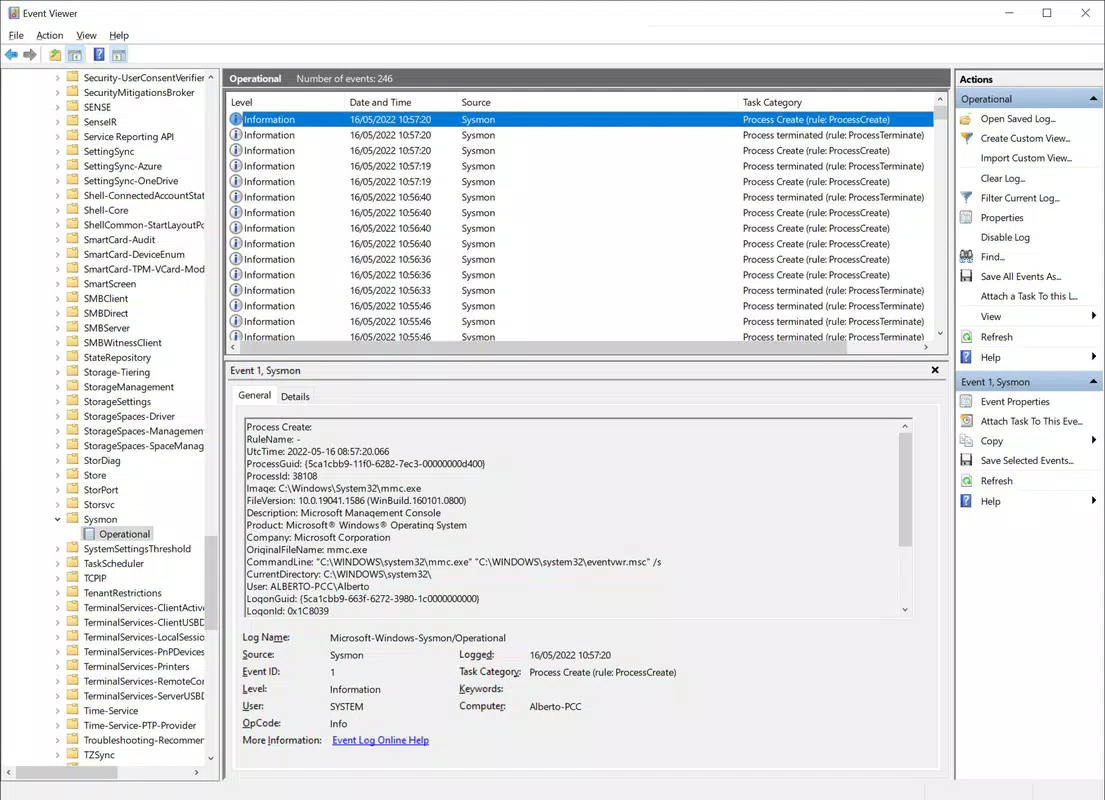
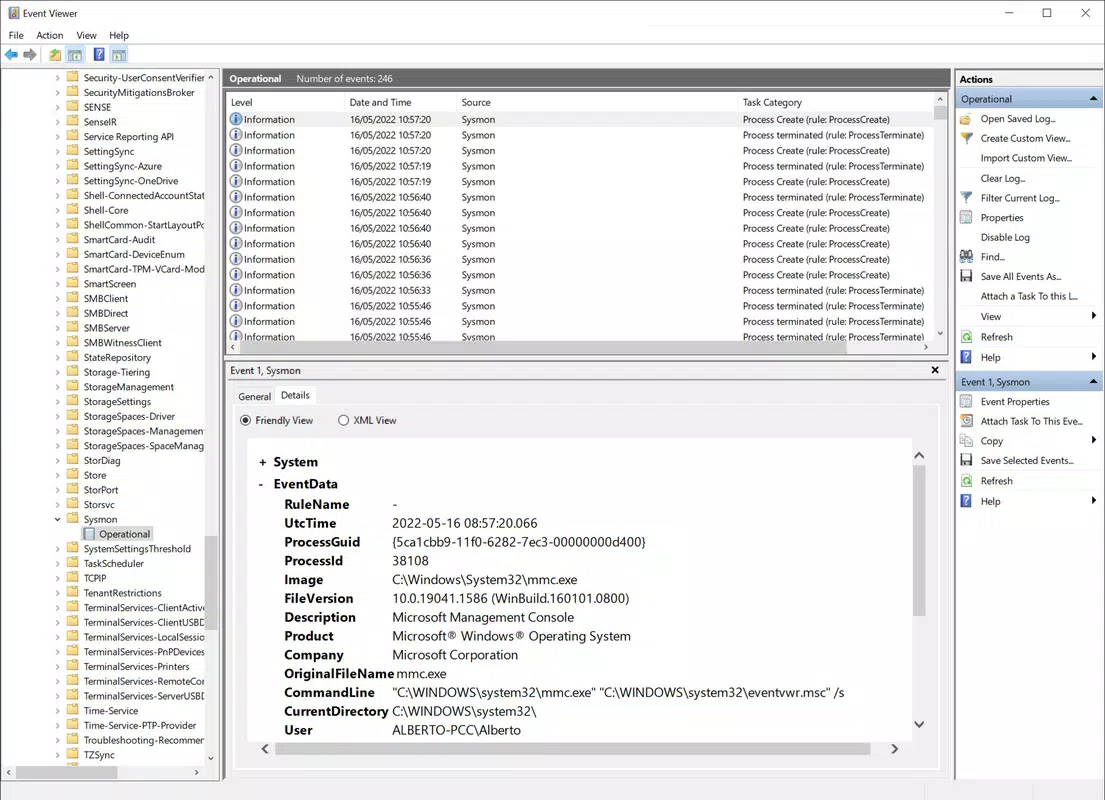
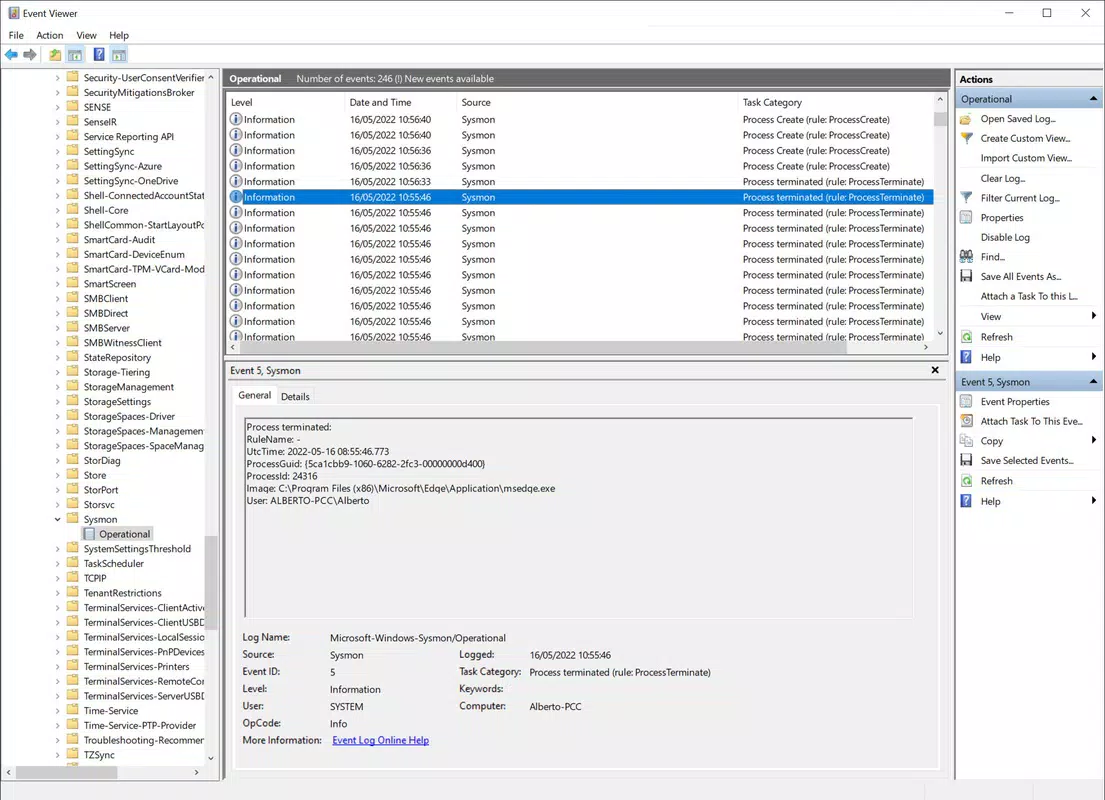
- Event Viewer Integration: All recorded events are stored in a dedicated log within the Windows Event Viewer, allowing for systematic review, filtering, and analysis using built-in tools.
- Registry Monitoring: Detects changes to registry keys and values, which are commonly exploited by malware to persist across reboots or modify system behavior.
Each feature serves a specific security function. For example, process creation tracking can reveal when a script or binary is executed without user interaction, potentially signaling a drive-by download or script-based attack. Network logging helps security teams identify C2 (command and control) communications, while file system tracking supports forensic investigations after a breach. The integration with the Windows Event Viewer ensures that data is accessible through a familiar interface, reducing the learning curve for administrators. These capabilities collectively enhance system transparency and support proactive threat mitigation.
Interface, UX & Performance
Sysmon does not include a traditional graphical user interface (GUI). Instead, it operates via command-line installation and relies entirely on the Windows Event Viewer for event visualization and analysis. This design choice reflects its intended audience: technical users with experience in system administration and security operations.
The user experience is streamlined for efficiency rather than simplicity. Once installed, Sysmon runs silently in the background, consuming minimal system resources. Although the developer did not list formal performance metrics, its lightweight footprint (1.7 MB) suggests it has a low impact on system performance. The navigation flow is indirect—users must access the Event Viewer, locate the Sysmon log, and then interpret event IDs and data fields manually.
Responsiveness and stability are consistent with Microsoft’s standard for system-level tools. The application is designed to operate reliably across various Windows device categories, including desktops, laptops, and servers. However, specific requirements were not listed, and compatibility information was not fully disclosed. Users should expect a stable, low-latency operation, especially when deployed in high-security environments where continuous monitoring is critical.
Platform Compatibility & Technical Requirements
Sysmon is available exclusively for the Windows platform and is compatible with modern Windows operating systems. The current version is 11.0, released on February 15, 2023. The application has a file size of 1.7 MB, making it highly efficient in terms of storage and deployment.
Although the developer did not specify minimum OS requirements, Sysmon is known to function on Windows 7 and later versions, including Windows 10 and Windows 11. It is designed to work at the kernel level, which requires appropriate system privileges during installation. The developer did not list formal performance metrics or hardware specifications.
For users seeking to install Sysmon, the process involves downloading the executable and running it from the command line with administrative rights. The tool does not require additional dependencies or runtime environments. Its lightweight nature and official Microsoft origin ensure broad compatibility across enterprise and personal Windows systems.
Pros and Cons
Pros
- Official Microsoft tool with high reliability and trustworthiness.
- Free to download and use with no licensing restrictions.
- Lightweight file size (1.7 MB) with minimal system impact.
- Provides deep visibility into system-level events such as process creation and network connections.
- Seamless integration with the Windows Event Viewer for easy log access and analysis.
Cons
- No graphical user interface; requires command-line expertise for installation and configuration.
- Not suitable for non-technical users or general consumers.
- Event interpretation requires knowledge of event IDs and log structures.
- Specific system requirements were not listed by the developer.
- Does not include automated alerting or real-time threat detection features.
FAQ
Is Sysmon safe to use on my Windows system?
Sysmon is a legitimate Microsoft tool designed for system monitoring. It is safe to use on Windows systems when installed with administrative privileges and configured properly.
Can I install Sysmon on Windows 10 and Windows 11?
Yes, Sysmon is compatible with Windows 10 and Windows 11. It is also known to work on older versions such as Windows 7 and Windows Server editions.
Do I need a special license to use Sysmon?
No, Sysmon is completely free and available for use without any licensing fees or restrictions.
How do I access the logs generated by Sysmon?
Logs are stored in the Windows Event Viewer under the "Microsoft-Windows-Sysmon/Operational" log. Users can access this through the Event Viewer application.
Can Sysmon detect malware automatically?
Sysmon does not detect malware on its own. It logs system events that can be analyzed to identify potential malicious behavior. Detection requires manual review or integration with SIEM tools.
Final Thoughts
Sysmon stands out as a robust, no-cost solution for system monitoring and event logging within the Windows ecosystem. While it lacks a user-friendly interface, its deep integration with Windows security infrastructure and comprehensive logging capabilities make it indispensable for system administrators and security professionals. The tool delivers exceptional value by offering real-time visibility into critical system activities, enabling proactive threat detection and forensic readiness.
For organizations and individuals focused on endpoint security, compliance, or incident investigation, Sysmon is a foundational tool that enhances system transparency and resilience. Its lightweight design, official backing by Microsoft, and proven track record ensure it remains a top choice in the system utilities category.
Download Sysmon now


